Bear in mind that Graphite is alpha software, meaning it is actively changing and improving.
Current capabilities
A lot is planned on the future roadmap, but here's an overview of the concepts behind the selection of workflows you can currently use in Graphite.
Vector illustration and graphic design
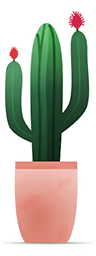
Vector editing is the core competency of the Graphite editor at this stage in its development. That means you can create shape-based vector artwork and designs with the available tools.
Primitive geometry like rectangles and ellipses can be drawn and, as desired, modified into more complex shapes using the Path tool. Fully organic shapes may also be created from scratch with the Pen tool. They can then be given colors and gradients to add visual style. This cactus is an example of the style of artwork you can create with vector graphics.
Procedural design
A procedural content generation workflow lets you describe how a creative decision becomes a visual outcome rather than doing it all yourself. For example, copying a shape 25 times around the inside of a circle would be tedious work if done by hand but it's easy for the computer to do it. And if you decide 10 instances may look better than 25, or you want to change the copied shape, or you opt for a different radial separation, it's easy to just update a numerical parameter. That saves you from laboriously placing every shape all over again. You're able to build a procedure that the computer carries out on your behalf.
The aforementioned example takes the form of the  node which is represented as this box-shaped entity with colored connectors on either end. Nodes encode certain operations (or functions) in the procedure that generates your artwork. Once you've drawn some content, you can see the nodes which generate it by opening the node graph with the
  button located to the top right of the viewport. This example may have a node setup which looks like this:

Starting from the left, the  node generates some geometry (in this case, drawn using the Pen tool). Next, the vector path data feeds through the
  node to apply a blue color. At this point, the path data looks like so:

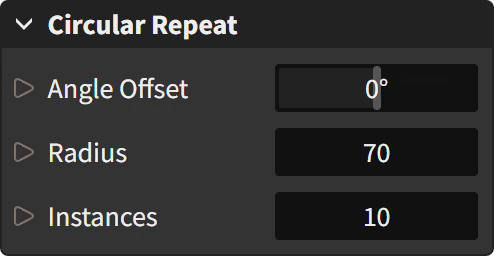
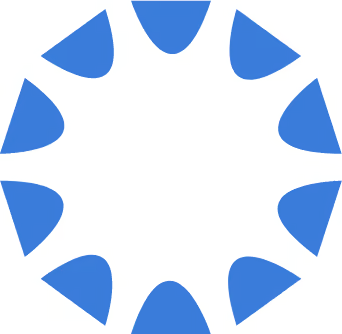
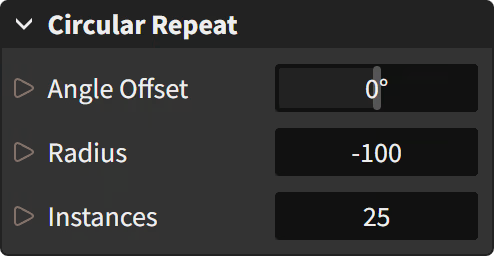
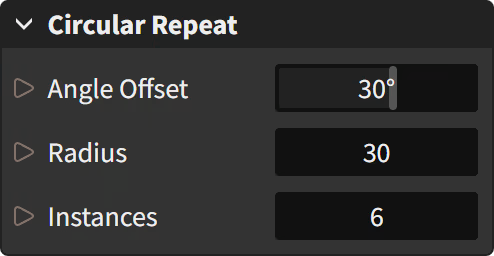
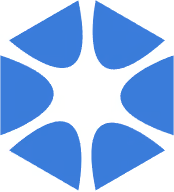
Next, that is fed into the node which has several parameters you can modify and get different output data based on your choices, like in these examples:
 |  |
 |  |
 |  |
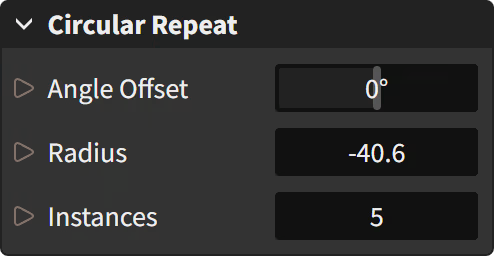 | 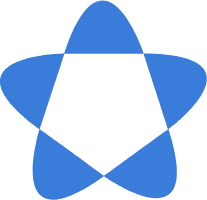 |
The node's properties offer controls over settings like Angle Offset (what angle to start at), Radius (distance from the center), and Instances (how many copies to distribute). These parameters can also be exposed into the graph so they are driven by the calculated numerical outputs of other nodes instead of values you pick by hand.
Raster compositing
Raster image editing is a growing capability that will develop over time into the central focus of Graphite. Raster imagery is composed of pixels which are grids of color that can represent anything visual, like paintings and photographs. The current feature set lets you import images, manipulate them using the node-based compositor, and apply nondestructive global effects like color adjustment filters.
A prototype  Brush tool exists letting you draw simple doodles and sketches. However it is very limited in its capabilities and there are multiple bugs and performance issues with the feature. It can be used in a basic capacity, but don't expect to paint anything too impressive using raster brushes quite yet. The tool will be fully rewritten in the future.